Case study · Mobile banking
HSBC Global Money and Concept Innovations: Cross-Border Currency, Fast Payments, and the Next Generation of Mobile Banking.
Between 2018 and 2020, I worked in HSBC's Mobile X / Smart Channels team on two streams of mobile banking design. The first was Global Money, a cross-border account that lets customers send, convert, and spend in up to 36 currencies without fees, launched in 2020. The second was a set of concept explorations, known internally as Northstar, where I prototyped new directions for HSBC's app experience and tested them with stakeholders across the business. This case study covers both streams: product, research, design, and concept work.
- Project length
- 2018-2020
- Team
- Mobile X / Smart Channels
- Platform
- Native iOS & Android
- Role
- Product Designer
- Period
- 2018–2020
- Projects
- Global Money · Northstar
- Outcome
- Launched Nov 2020 · 1.3M+ customers by 2023, ~$11bn transactions in 2022
Part 01Global Money
Shipped product · launched Nov 2020
01The challenge
Setting the challenge
Managing money across borders was a long-standing pain point for HSBC customers. International transfers carried fees, conversion workflows were fragmented, and account screens didn't reflect how people actually thought about money. HSBC needed a new experience that would unify these actions while remaining compliant with complex global regulations.
02Research
Research & discovery
We began by studying competitor wallets and transfer services, then conducted card sorting exercises to understand how customers mentally grouped financial tasks.
The unmoderated sort produced inconsistent results: users lacked context and scattered actions across unrelated categories.
Card sort · agreement analysis
66%
Agreement threshold · 12 participants
How users naturally group banking actions. Actions that clustered above 66% agreement formed the final groupings.
"Move money" cluster formed
66%
"Convert" sorted as distinct
50%
Participant agreement, moderated sort
01View information
4 actions
- View My Global Money Account Monthly Statement
- View My Total Global Money Balance
- View My Global Money Currency Balances
- View My Global Money Transactions
02Move money
4 actions
- Add Money to My Global Money Account
- Send Money From My Global Money Account
- Withdraw Money From My Global Money Account
- See My Global Money Payees
03Manage & convert
2 actions
- Convert Money Between My Global Money Currencies
- Manage My Global Money Debit Card
Key finding
“Send Money”, “Add Money”, “Withdraw Money” and “See Payees” clustered together naturally as “Move Money” actions.
Design insight
“Convert” was seen as distinct, separate from other money movement actions at the 66% agreement threshold.
In the moderated sessions, clear patterns emerged. “Payments” and “Transfers” clustered together naturally as “Move Money”. By contrast, “Convert” was seen as a distinct action by half the participants, highlighting how currency conversion is viewed differently from spending.
These insights were crucial in shaping the information architecture of the Global Money account screen.
03Architecture
Information architecture and journeys
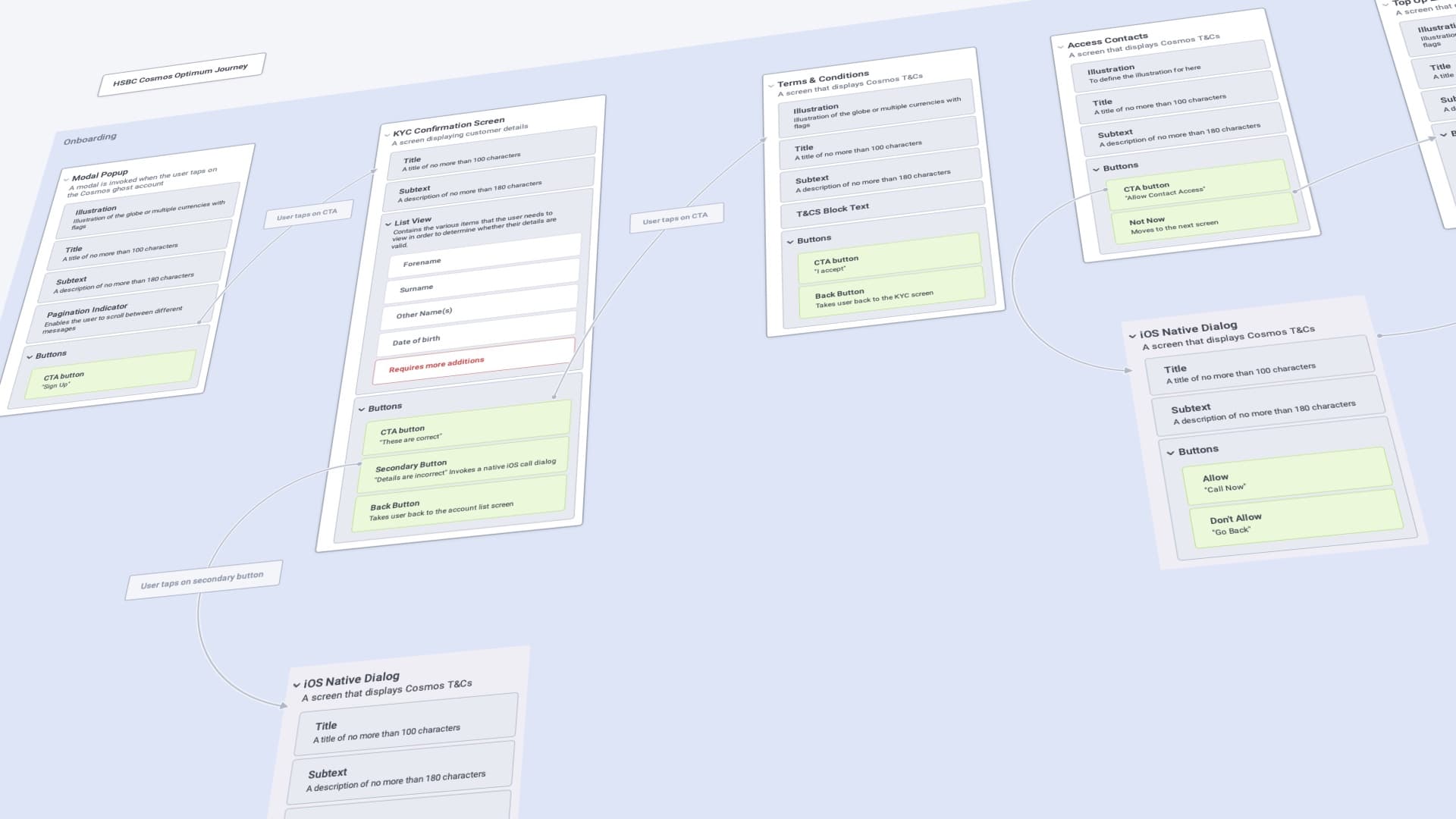
From this research, I mapped a detailed account IA and created journey flows for both successful and failed transactions:
Happy paths
Covered straightforward transfers, conversions, and card payments.
Unhappy paths
Captured regulatory blocks, API errors, and insufficient funds.
By visualising both, I helped product and engineering teams anticipate edge cases early, so the final product held up even when things went wrong.
04Wireframes
Wireframes
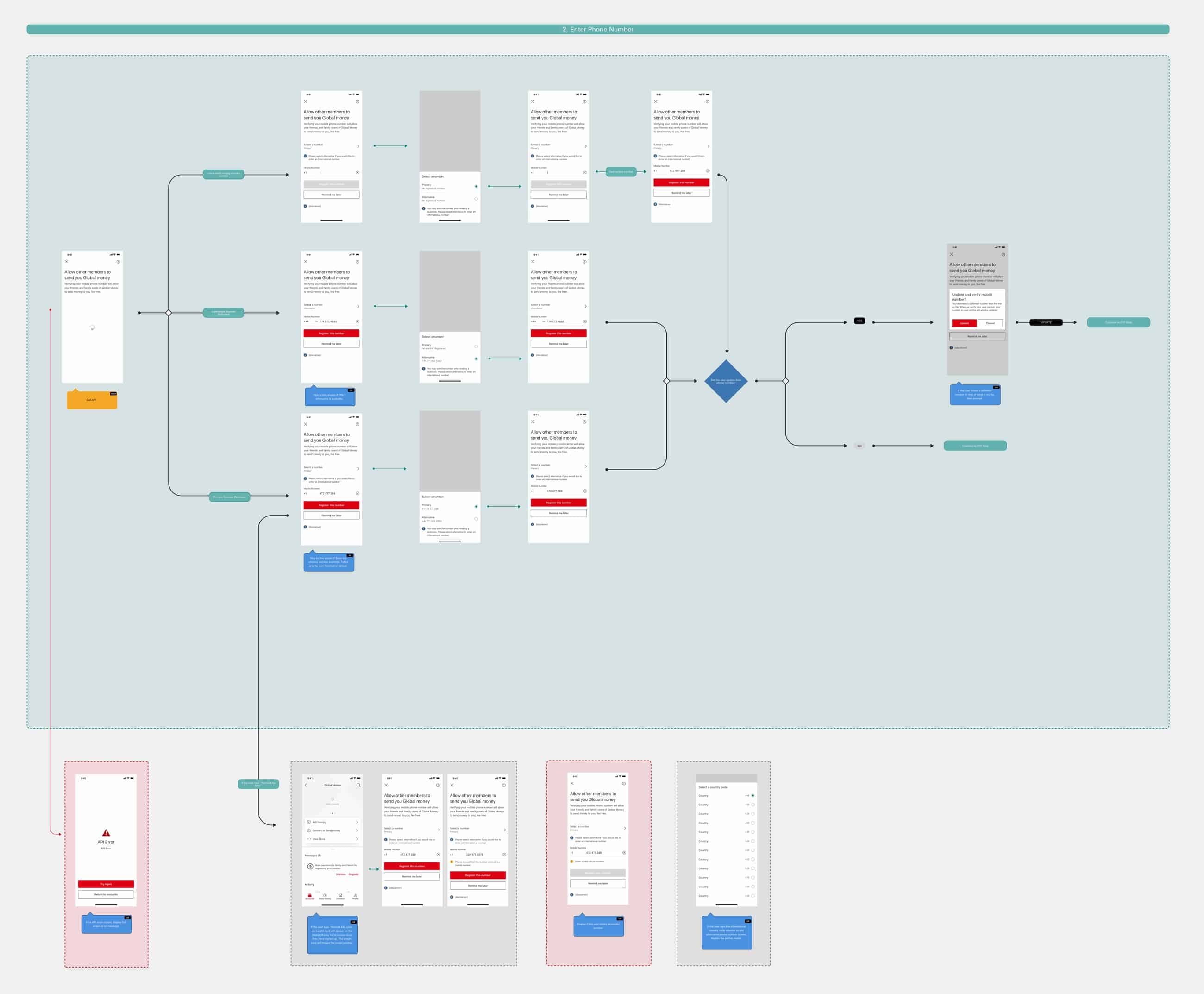
Before any visual design, I put wireframes together to map key user decision points, happy and unhappy paths, and potential API errors.
05Interface
Design
I designed the UI in Sketch, building on the existing design-system components wherever they held up. I worked closely with digital governance, brand and developers to deliver an accessible experience, and every screen went through strict quality-control checks to confirm it met accessibility standards and worked well with screen readers.
01
Onboarding
I wanted an engaging, visual onboarding experience that educated users about the product as they moved through it · and explained why we needed certain permissions.
02
Order card
Ordering a card is optional, so the page had to earn attention on its own. I animated a subtle reflection across the card · a small touch of motion that lifts an otherwise plain page.
03
Transaction enrichment
The new product had access to enhanced APIs, which let me add transaction enrichment. Enrichment brought several complexities of its own, and these prompted a dedicated research piece.
04
Search transactions
Because the product was built for cross-border use, customers needed powerful search tools that worked across locations, currencies, and dates.
06Delivery
Collaboration and delivery
I worked closely with API architects, compliance specialists, and developers to ensure the design could operate across multiple markets with different regulations.
01Cross-functional workshops
Regular design reviews with API architects and compliance teams
02Technical alignment
Ensuring design intent matched technical feasibility
03Multi-market compliance
Designs adapted for different regulatory requirements
Outcome
Global Money launched in 2020
- 01Competitive new wallet product for HSBC
- 02Send, convert, and spend globally with clarity
- 03Fully accessible experience meeting WCAG standards
- 04Resilient design supporting multiple currencies
The experience empowered customers with confidence in their global transactions, supported by a polished and resilient interface.
1.3M+
Customers by 2023
$11bn
Transactions in 2022
07Impact
Global Money by the numbers
What the product grew into after the November 2020 launch.
$11bn
Transactions in 2022
Processed within two years of launch.
1.3M+
Customers by 2023
More than 750,000 joined in 2023 alone.
28
Currencies
Hold, convert and send with competitive FX and fee-free transfers.
Source: HSBC Annual Reports 2022 & 2023
Part 02Northstar
Concept explorations · 2018-2020
08Overview
Reimagining the future of digital banking
Between 2018 and 2020, I led Northstar projects exploring the future of mobile banking interactions. These concepts challenged HSBC's existing design conventions, and many of them made their way into production.
09Responsibilities
01
Design & prototyping
Produce design and prototype concepts for stakeholders across the business
02
Dynamic prototypes
Create dynamic prototypes with variables and conditions using ProtoPie
03
Feature visualisation
Visualise potential app features and interactions for the future roadmap
10Key explorations
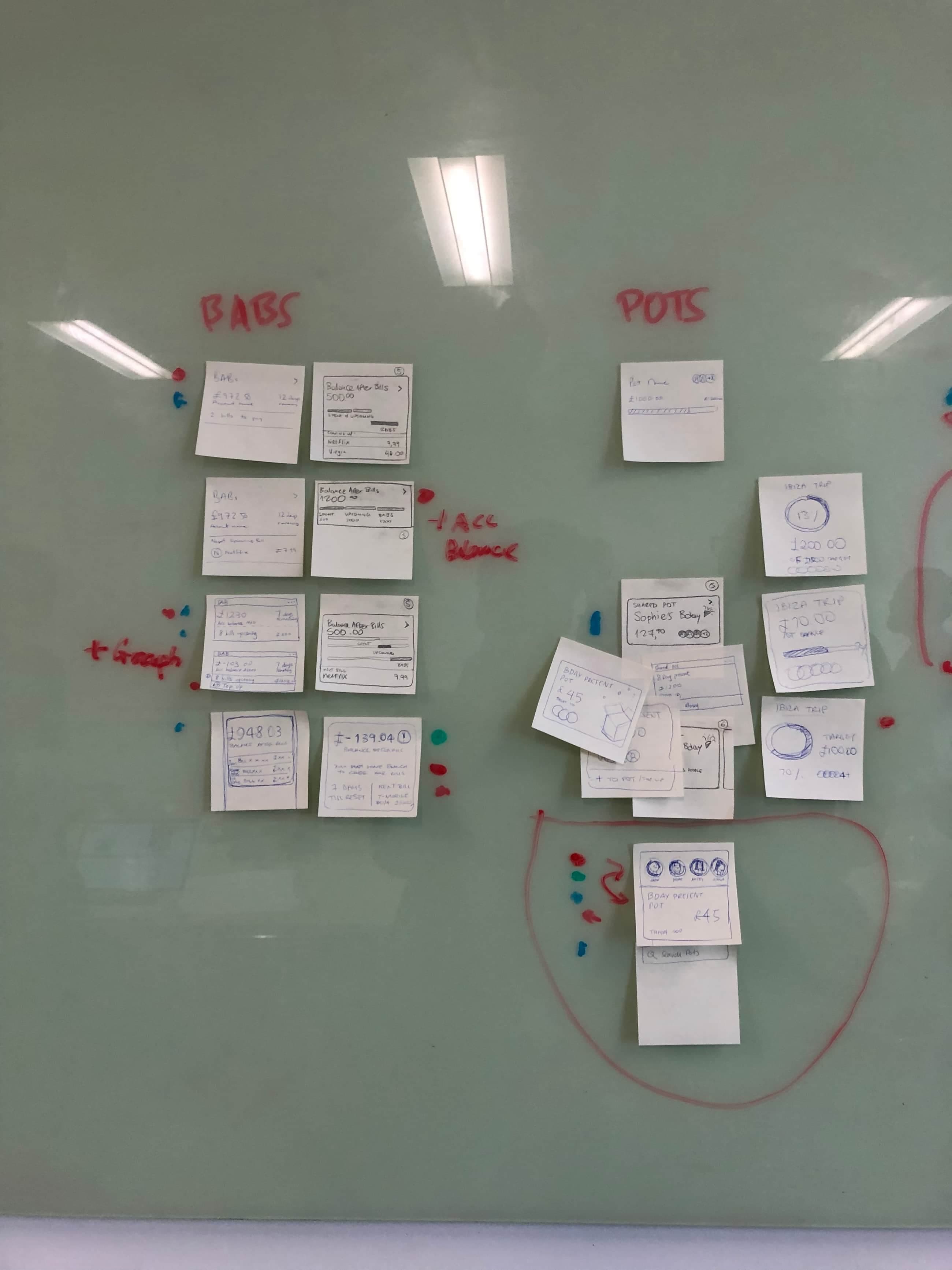
Home feed & dynamic cards
Through ideation sessions and workshops, I visualised “card” interfaces that could adapt to user needs and behaviours, creating a more personalised banking experience.
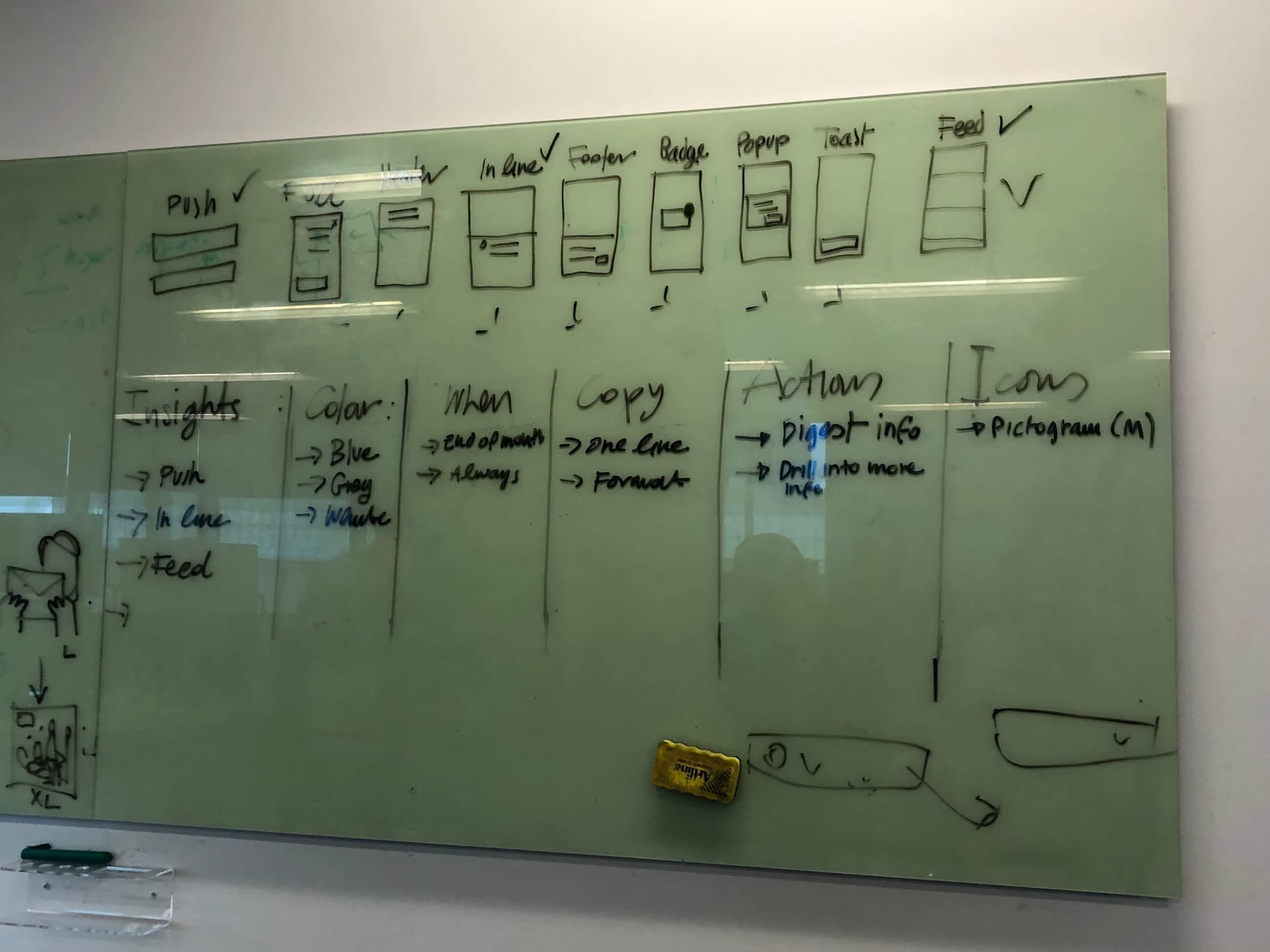
In-app alerts & notifications
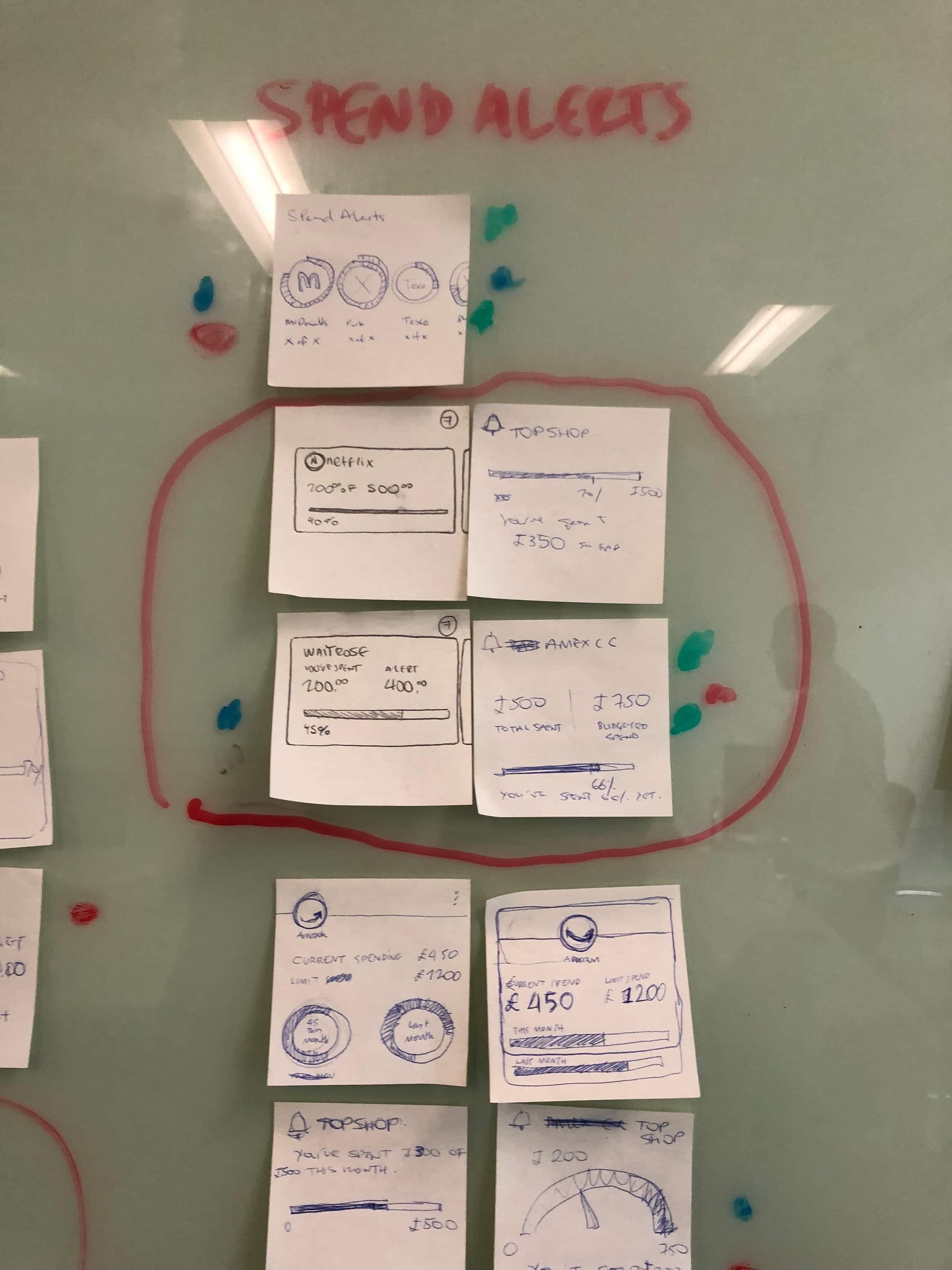
I explored ways to surface important information: overdue bills, spend-tracking insights, upcoming payment reminders, without the experience becoming intrusive.
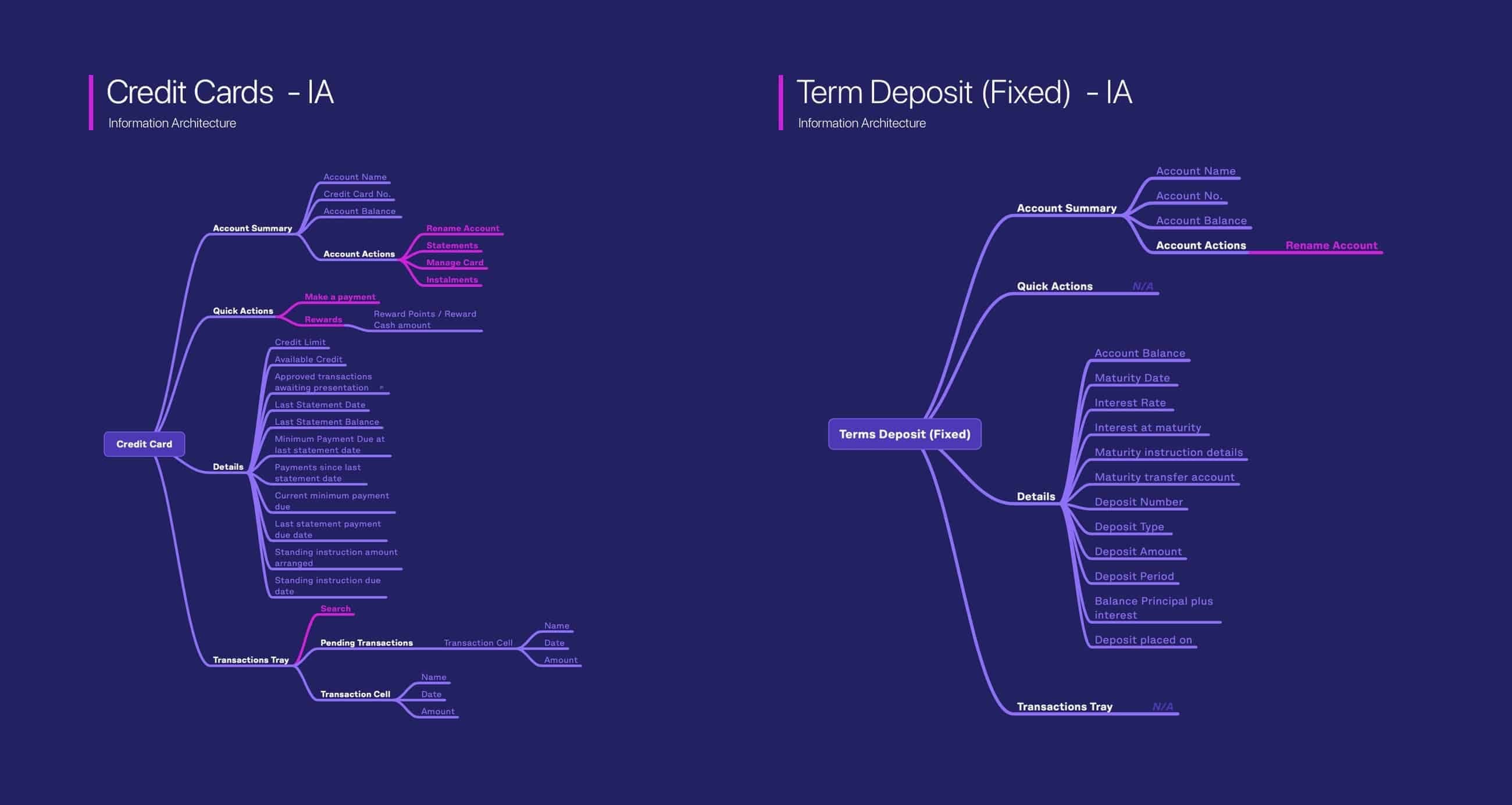
Accounts screen architecture
I created information architecture diagrams mapping user actions across account types, keeping navigation intuitive and cognitive load low.
11Concepts
Design exploration
Using Sketch, After Effects, and ProtoPie, I created a suite of design concepts that challenged existing branding standards while keeping usability and accessibility at the core.
01
Onboarding animations
I explored how we could make our onboarding experiences more visually appealing by adding looping animations to them.
02
Home feed
I prototyped a card-based feed that taught users more about how they spend, giving them greater control over their finances. Each card surfaced something different: latest spending habits, stocks, local currency rates, or shared savings pots.
03
Cross-sell videos
I added HSBC adverts to our cross-sell tiles, bringing motion to what had been static promotional space.
04
Fast payments
HSBC's payment journeys were slower than competitors'. The harder problem was scale: HSBC operates in many markets, each with its own payment regulation. I built a solution that scales across account types, payment methods, and markets.
05
Support bot
Customer service was often inundated with calls, so I explored a support bot that could answer questions and provide natural-language search across the app, taking some of that pressure off the team.
06
Accounts
Some of this conceptual work reached production after further testing and validation, including the new accounts screen that rolled out to HSBC banking apps worldwide in late 2020.
07
Move Money
I redesigned the Move Money screen so customers could pay one another faster and with less friction. It rolled out to HSBC customers in late 2020.
08
Add new payee
HSBC's account types sat on different payment networks, which made adding a new payee convoluted. I created new interaction patterns to make the process much smoother.
09
Skeleton loaders
Previously, HSBC used simple loading spinners. Using skeleton loaders allowed us to give the illusion that the app was loading faster than it actually was.
12Process
Prototyping & tools
I built high-fidelity, interactive prototypes that could be tested with stakeholders and users. Each prototype included realistic data, transitions, and micro-interactions.
- Sketch
- After Effects
- ProtoPie
- Principle
13Impact
Impact & outcomes
Production impact
- Many conceptual designs pushed to production
- Challenged and evolved existing branding standards
- Improved user financial control and experience
Key learnings
- Importance of rapid prototyping for stakeholder buy-in
- Value of pushing beyond conventional banking UX
- Need for balance between innovation and familiarity
Rollout timeline · new banking app features launched in late 2020